
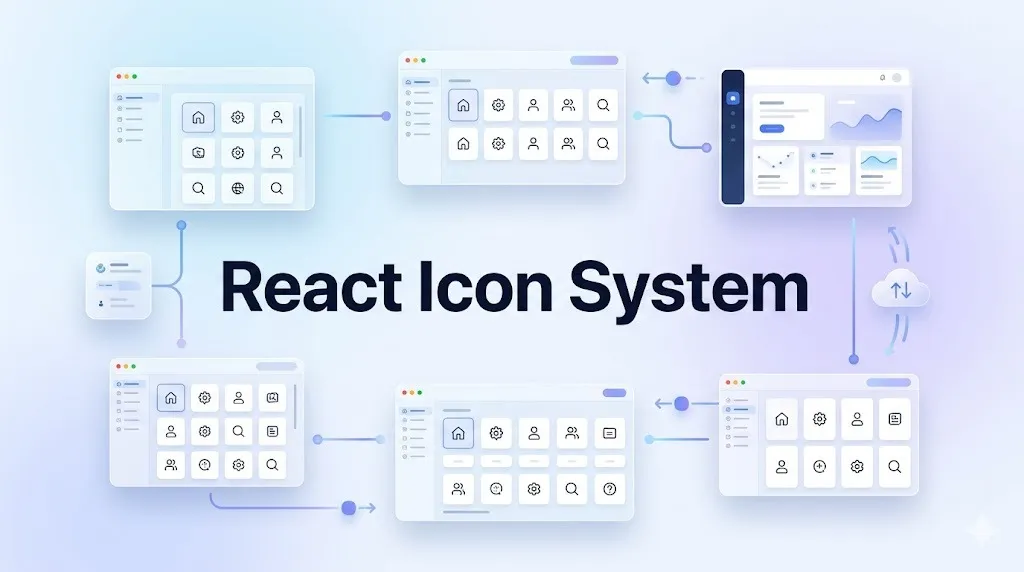
Managing a shared component library quickly exposes cracks in a product’s visual language. Missing a shopping cart icon shouldn’t derail a sprint. Yet, it happens constantly. Five different development teams building features concurrently usually means iconography becomes the first casualty. One team pulls from an open source package. Another drops random SVGs into their asset folder. A third relies on design to manually export assets with wildly varying stroke weights.
Tracking changes across these scattered files turns into an absolute nightmare. Maintaining visual consistency without staffing a dedicated illustration team requires a centralized, scalable asset pipeline. Moving to Icons8 Icons as our single source of truth completely changed our approach to React component libraries.
Compiling the Core Component Base
Setting up a scalable `<Icon />` component requires predictable, uniform SVGs. Relying on scattered files guarantees alignment and rendering bugs. We rely on Icons8 Collections to build the master sprite file feeding our component library.
Our process starts directly in the browser. Instead of hunting through different websites, we filter the Icons8 library by a single visual style. Choosing a pack like iOS 17 Outlined gives us access to over 30,000 unified icons. Picking one specific style guarantees every asset shares the exact same grid, corner radius, and line weight. Handing off a cohesive set prevents visual fragmentation down the line.
Auditing our platform needs comes next. Drag and drop those required icons right into a custom Collection. Once our initial set of 150 core interface icons looks right, we hit the bulk recolor feature. Inputting our base HEX code strips out any stray colors. Downloading the collection as individual SVGs happens after one crucial step. Unchecking the default “Simplified SVG” setting keeps raw editable vector paths intact. React components can then easily target `fill` or `stroke` properties with CSS via `currentColor` variables. Passing a simple `color` prop through our wrapper component cascades down to the SVG paths automatically. Creating hover states or dynamic active styles becomes incredibly straightforward. Getting this baseline right saves countless hours of debugging.
Handling Edge Cases and Ad-Hoc Requests
Centralized systems only work when they absorb unexpected requirements without bottlenecking pipelines. Marketing requests rarely follow standard sprint cycles.
Thursday afternoon rolled around. Growth teams initiated an unannounced push adding twelve new social integrations to our user dashboard. They required specific brand marks. Assets had to visually align with the rest of our interface. Rather than submitting Jira tickets to designers and waiting days for custom vectors, I opened the Icons8 web interface.
Searching their Logos category surfaced exactly what we needed. I immediately located assets like a youtube logo perfectly matching our exact dimensions. Built-in browser editors meant modifying padding directly on the site took seconds. Matching our standard 24×24 pixel bounding box happened instantly. Applying a quick rectangular background came next. Adjusting the corner radius to match design system tokens felt effortless. Grabbing the SVG Embed HTML fragment wrapped up the task. Copying raw SVG strings straight into functional components bypasses the entire file management system. We don’t have to pollute our global asset folder for a one-off marketing badge. That entire dashboard update shipped to staging within the hour. No designers were pulled away from their deep work.
Weighing Asset Sources for Production
Standardizing on one platform means evaluating trade-offs against the broader ecosystem of visual assets. Building enterprise software requires thousands of icon permutations.
Open source packs like Feather or Heroicons are default starting points for most frontend developers. They offer excellent visual cohesion. Installing them via npm takes seconds. Scale eventually becomes a massive problem. These packs typically top out around a few hundred icons. Teams inevitably need niche assets representing obscure file formats or specific medical devices. Free alternatives fall short here. Developers then resort to mixing styles. Interface aesthetics break immediately.
Aggregator services like Flaticon or Noun Project solve volume issues but fail at consistency. Platforms hosting uploads from thousands of independent contributors create chaos. Searching for “settings gear” yields hundreds of results with conflicting stroke weights, perspectives, and bounding boxes. Placing them side by side in navigation menus looks messy. Fixing those inconsistencies manually defeats the whole purpose of using a library.
Bridging that gap requires a different approach. Icons8 maintains over 1.4 million icons. Grouping them into 45 distinct styles enforces rigid guidelines. A pack like Material Outlined guarantees all 5,500+ icons in that category share the same grid. Missing a highly specific icon isn’t a dealbreaker. Developers just submit an Icon Request. Hitting 8 community votes prompts the in-house team to draft it natively matching the requested style pack.
Where the Library Shows Strain
Platform solutions rarely ship without structural limitations. Teams must accommodate a few rough edges.
Free tiers are entirely unsuited for frontend component libraries. Popular, Logos, and Characters categories do unlock all formats. Most of the libraries restrict free users to 100px PNG files. Raster images cannot be styled with CSS. They don’t scale for high-density displays. Blurry icons ruin premium user experiences. Mandatory attribution links clutter up your codebase. Buying a paid plan remains a strict requirement for accessing SVGs necessary for modern React environments.
Advanced workflows face arbitrary restrictions when crossing over into animated formats. Exploring over 4,500 animated icons reveals options like GIF, After Effects projects, or Lottie JSON. Smooth, lightweight web animations run beautifully on Lottie JSON. Ecosystem integrations like Lunacy or Mega Creator reject these animated formats completely. Modifying vector paths of moving assets locks you out of native editing tools entirely. You’ll need external software to tweak complex motion files.
Architectural Rules for Component Integration
Transitioning multiple product teams to a unified iconography system requires strict guardrails. Based on our deployment, enforcing operational rules keeps the component library clean. Consistency relies on discipline.
- Strictly mandate a single style category for core platforms. Micro-frontends shouldn’t suffer from visually jarring transitions.
- Always disable simplified SVG export settings. Frontend engineers must manipulate individual vector paths via styled-components.
- Use Base64 HTML fragment exports for hyper-specific, single-use icons. Bloating the main SVG sprite with rare assets isn’t smart. Saving HTTP requests works better.
- Share Collection links regularly. Developers can auto-clone master sets and inspect assets before pulling them into local development environments.
- Deliver complex loading states using Lottie JSON formats rather than GIFs. Mobile screens demand crisp rendering.
- Define strict TypeScript interfaces for icon names. Catching typos during compilation prevents broken assets from reaching production.
Providing five product teams with consistent assets previously required constant design oversight. Structured libraries change the entire dynamic. Sourcing, editing, and implementing interface visuals happens independently now. Platform-wide cohesion stays perfectly intact.