

In the modern competitive world of engineering and design, Free CAD Software has emerged as a vital tool for all professionals, students, and hobbyists. The development of computer-aided design technology has opened up access to powerful modeling technology previously only available to commercial environments at high prices. By the year 2025, there will be a wide variety of Free CAD Software to choose from so that designers can make advanced 2D drawings and high-end 3D models without having to take out a loan. It is a detailed list of the best free CAD software, their functionality, advantages, and drawbacks to enable you to make a wise choice when undertaking your design projects.
What is CAD?
Computer-Aided Design (CAD) is one of the most innovative technologies that has helped engineers, architects, and designers to produce accurate digital 3D models and technical drawings. Free CAD Software applications are developed to use advanced algorithms and mathematical calculations to create the correct geometric depiction of a thing, a structure, and a device. Such tools are excellent and substitute the manual drafting process with computer accuracy, as one can visualize, edit, and study the design in digital form and then physically create it.
The current Free CAD Software systems are more sophisticated in nature; they come with parametric modeling tools, assembly design tools, and even have simulation tools and collaborative workflows. Cloud computing and artificial intelligence have also been integrated in order to boost the usability and availability of such design platforms.
Why Free CAD Software is Important
The importance of Free CAD Software that is available cannot be overemphasized in the current innovative economy. Being durable, affordable, and portable, they remove the financial constraints that have limited access to professional-grade design tools in the past, especially among small businesses, students, and independent designers.
- Education: Universities and technical schools are also big beneficiaries of CAD software free versions, where students are now able to study industry-standard design concepts without institutional financial requirements.
- Startups: New businesses will be able to invest in product development instead of spending money on costly software licenses, and will be able to enter the market faster with professional design options.
- Innovation: Free CAD design software democratizes the design process, enabling inventors and entrepreneurs around the world to bring their ideas to life as tangible prototypes and products.
- Such Skills Development: professionals are able to develop their technical capabilities through trial on various platforms and create skills in various design settings, without the risk of monetary expenditures.
- Access to Advanced Tools: The developers in the developing world have access to advanced tools, international collaboration, and knowledge sharing on a global scale.
Also Read: Automation Companies in Coimbatore
Pros of Free CAD Software
Free CAD design software has many benefits, which contribute to its popularity among many classes of users. These advantages are not just cost-saving but also flexibility, learning prospects, and community assistance, which add to the total design experience.
- Cost-Effective: does away with licensing fees, subscription charges; professional design tools are now accessible to those with very tight budget constraints.
- Learning Platform: Provide the learners with a cost-free means of learning CAD skills without the financial commitment to purchase the system, and enable them to experiment and even develop skills.
- Community Support: Open-source nature creates a thriving user community that produces tutorials, plugins, and troubleshooting support to keep on improving.
- Flexibility: The users are not stuck to one vendor, and can explore different design strategies and choose the one that best suits particular projects.
- Frequent Updates: Most of the free solutions are constantly updated and have additional features added by specific development teams and the community all over the world.
Cons of Free CAD Software
Irrespective of their benefits, some drawbacks of using the best free CAD software solutions that users must take into account. These constraints are useful in creating realistic expectations and also in making an appropriate software choice relative to particular design requirements.
- Limited Functionality: The free versions may have restricted functionality some of more advanced functionality, like complex simulation or rendering or industry-specific tools.
- Support Limitations: Professional technical support may be terminated or offered on a low level, such that the user is coerced into community forums and documentation to problem-solve.
- File Compatibility: There can be limitations to importing and exporting, and this can cause some difficulty in collaboration with people who are used to commercial software platforms.
- Performance Constraints: The free versions may be limited by file size or number of parts or processing capacity compared to their free-premium versions.
- Professional Perception: Professional business clients may desire to be shown projects that have been created using commercial software and this could affect business opportunities in some sectors.
Top 10 Free CAD Software
1. Fusion 360 (Free Version)

Website: https://www.autodesk.com/products/fusion-360/overview
The personal edition in Fusion 360 is one of the most all-encompassing Free CAD Software packages at present. This is a cloud-based platform created by Autodesk that integrates CAD, CAM, and CAE tools into one unified platform. The software is very good in parametric modeling and lets an individual do complex assemblies with smart relations among components. The fact that it is cloud-based allows it to be used smoothly within teams and across various devices, which is why it is beneficial in remote work and in distributed teams.
The platform allows direct and parametric modeling styles, which are flexible to any design style. The complete range of features is easily accessible to students and hobbyists without having to spend money, with design materials ready to export to 3D printers and CNC machines. The modern interface, as well as the abundance of learning resources provided by the software, are both beginner-friendly and provide advanced functionality to the more knowledgeable user.
Key Features:
- Cloud-based collaboration platform
- Integrated CAM manufacturing tools
- Advanced simulation capabilities
- Parametric and direct modeling
- Built-in rendering engine
Pros:
- Comprehensive feature set
- Regular software updates
- Strong community support
Cons:
- Internet dependency required
- Limited offline functionality
- Commercial use restrictions
Pricing: Free for personal use, educational licenses available
2. Solid Edge Community Edition
Website: https://solidedge.siemens.com/
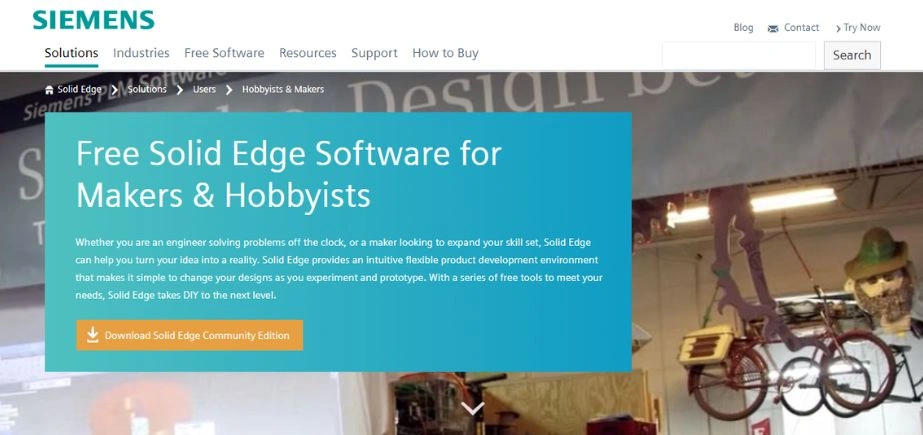
The Siemens Solid Edge Community Edition is an impressive product in the free CAD software category, providing great capabilities at no cost. It is an advanced platform that incorporates the revolutionary technology of synchronous developed by Siemens, a duality of flexibility of direct modeling and the intelligence of parametric design. Users are free to edit imported geometry of any CAD system, not knowing the design intent, and as such, it is great in the reverse engineering process as well as in modifying the design. The software consists of 2D drafting tools plus extensive 3D modeling, with complex surface modeling and sheet metal design processes.
The opportunity to integrate with the larger Siemens ecosystem enables it to exchange data with other engineering tools without any issues. The platform also has sophisticated simulation tools for stress analysis and motion studies, whereby the user can authenticate designs before manufacture. Community edition has most of the professional features in it, but it creates a learning and development atmosphere.
Key Features:
- Synchronous technology integration
- Advanced sheet metal tools
- Comprehensive simulation suite
- Professional drafting capabilities
- Cloud collaboration features
Pros:
- Industry-leading technology access
- Professional-grade simulation tools
- Excellent learning resources
Cons:
- Steep learning curve
- High system requirements
- Limited community size
Pricing: Free community edition available
3. KeyCreator Direct CAD
Website: https://www.kubotekkosmos.com/
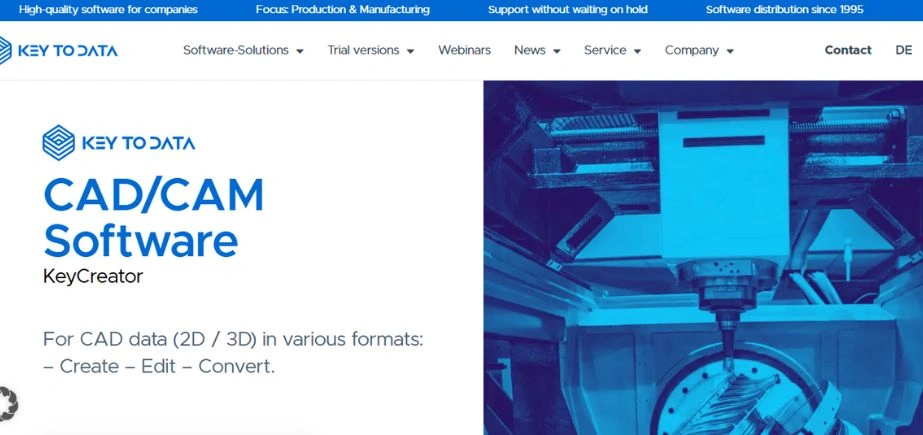
KeyCreator is a unique free CAD design software application that emphasizes flexibility and ease of use in direct modeling applications. In contrast to the classical parametric CAD systems, direct modeling features of KeyCreator enable users to change their design without fear of feature history or design intent. It is a useful methodology, especially for concept development, reverse engineering, and design modification processes. The software has a 2D and 3D designing environment, and also provides a smooth transition between drafting and modeling.
Its geometry healing features are more effective in fixing imported files in different CAD systems, thus it is a good tool when it comes to group projects that can utilize different software packages. Customization and automation of repetitive tasks are enabled by the programming interface on the platform, making it more productive for power users. The simple interface of KeyCreator is designed to lower the learning curve that is inherent to the use of professional CAD software, enabling more people to use advanced design tools.
Key Features:
- Direct modeling methodology
- Geometry healing tools
- Customizable interface options
- Multi-format file support
- Integrated programming capabilities
Pros:
- Intuitive design workflow
- Excellent reverse engineering
- Flexible modeling approach
Cons:
- Limited parametric features
- Smaller user community
- Fewer learning resources
Pricing: Free version with full capabilities
4. Inventor Professional (Student Version)
Website: https://www.autodesk.com/products/inventor/overview
Autodesk Inventor Professional, the student version, presents learners with one of the strongest Free CAD Software platforms in the market. It is a design software of professional level, which is mechanical in nature, fully 3D with potent parametric design capabilities, which maintain the relationship of design throughout the model creation process. The software is superior in assembly design and management, and complex mechanical systems with thousands of components can be managed with the software without loss of performance and stability. Its built-in simulation environment supports finite element analysis, dynamic simulation, and stress testing without the use of external tools.
The large content libraries provided by the platform comprise standard mechanical components, fasteners, and materials that will speed up the design process. Frame generator and tube and pipe design software are used to deal with special mechanical engineering. The connection of the software to the larger ecosystem of Autodesk also allows smooth processes of work with manufacturing and visualization software. The students are exposed to industry-standard tools and methodologies that are directly translated to professional settings.
Key Features:
- Professional parametric modeling
- Comprehensive assembly tools
- Integrated simulation environment
- Extensive component libraries
- Advanced drawing creation
Pros:
- Industry-standard capabilities
- Comprehensive learning materials
- Professional workflow exposure
Cons:
- Educational use only
- Complex interface initially
- High system requirements
Pricing: Free for students and educators
5. CATIA Student Edition
Website: https://www.3ds.com/edu/education/students/solutions/catia-v5
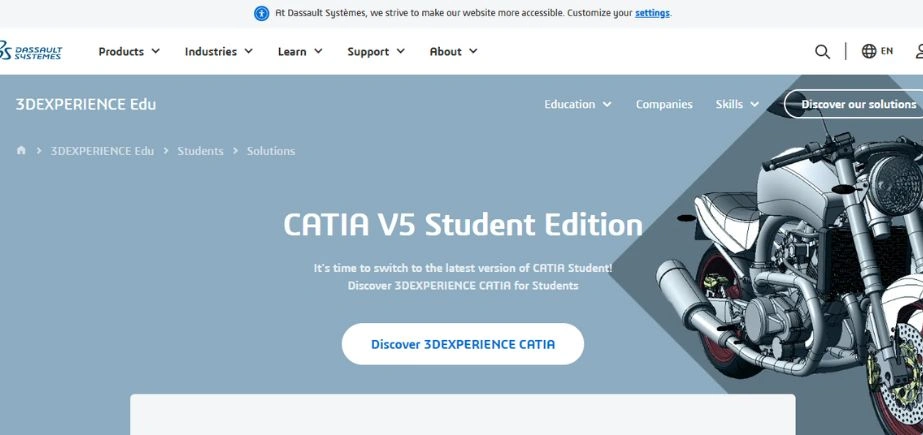
The aerospace and automobile industry-standard design is introduced to educational settings by CATIA Student Edition, one of the most powerful and best free CAD software. The platform is created by Dassault Systèmes and provides sophisticated surface modeling tools, which make it possible to create complex organic shapes and Class-A surfaces needed in the automotive and aerospace industry. The hybrid modeling method used in the software allows the integration of solid and surface modeling, which gives the software the flexibility to accommodate various design problems. The parametric design approach adopted by it supports design intent by specification using very high levels of modification, which are essential in the process of iterative development.
The platform has hashed assembly design tools that are able to deal with a huge project with thousands of parts. Kinetics simulation can be combined with kinematic simulation in order to do a motion and check the mechanism in the design environment. The sketching tools in the software allow the creation of 2D geometry with accuracy, which is the basis of more complicated 3D models. Students are provided with insights into the tools of world-leading aerospace and automobile companies.
Key Features:
- Advanced surface modeling
- Hybrid modeling approach
- Large assembly capabilities
- Kinematic simulation tools
- Professional sketching environment
Pros:
- Industry-leading surface tools
- Comprehensive modeling capabilities
- Professional training value
Cons:
- Extremely complex interface
- Educational restrictions apply
- Resource-intensive operation
Pricing: Free for students
Also Read: Website Vulnerability Scanners
6. Ansys Student

Website: https://www.ansys.com/academic
Ansys Student version has democratized access to world-class simulation and analysis capabilities and achieved the title of indispensable Free CAD Software for engineering validation. Although it is mainly a simulation program and not a design-creation model, Ansys is fully compatible with the CAD platforms to give a complete analysis of the system. The software provides a finite element analysis on structural mechanics, flow analysis with computational fluid dynamics, and electronic applications with electromagnetic simulation. Through its multiphysics features, it allows coupled analysis conditions that are representative of real-world operating conditions. The platform has databases of materials that contain a large library of properties that provide accurate simulation results.
A high-quality computational grid of intricate geometries is automatically created by advanced meshing tools. Post-processing capabilities: Visually give results such as stresses, flows, and temperature gradients in a comprehensive way. Students are exposed to industry-standard simulation techniques in the aerospace, automotive, and mechanical engineering industries. The optimization of the design tools of the software enable the automatic optimization of the design based on the response of the simulation.
Key Features:
- Multiphysics simulation capabilities
- Advanced meshing tools
- Comprehensive materials database
- Parametric optimization tools
- Professional result visualization
Pros:
- Industry-standard simulation
- Comprehensive analysis types
- Excellent learning platform
Cons:
- Limited model complexity
- Simulation-focused rather than design
- Steep learning curve
Pricing: Free student version available
7. SolidWorks Student Edition

Website: https://www.solidworks.com/product/students
SolidWorks Student Edition offers one of the most popular CAD software platforms for mechanical engineering and product design. This is a full-fledged parametric modeling software that focuses on intuitive design processes that help to hasten the learning curve of users. The feature-based modeling architecture of the platform constructs sophisticated geometry using a logical sequence of design operations, preserving relationships and design intent in development cycles. Its sophisticated assembly design software can deal with intricate mechanical systems and offers an interference detection and motion analysis capability.
The integrated drawing mixes 3D documentation into 2D form, and is associative to automatically update. PhotoView 360 is used to generate photorealistic visualizations of designs to communicate and market their designs. The software has comprehensive tutorial materials and certification schemes that certify the competency of the users. By offering instant job applicability, students become directly acquainted with tools that thousands of companies in the world utilize, and this becomes relevant in their employment.
Key Features:
- Intuitive parametric modeling
- Advanced assembly design
- Integrated drawing creation
- PhotoView rendering engine
- Comprehensive tutorial content
Pros:
- User-friendly interface
- Extensive learning resources
- Industry relevance
Cons:
- Educational use restrictions
- Expensive commercial version
- Windows-only platform
Pricing: Free for students through institutions
8. Creo Elements/Direct
Website: https://www.ptc.com/en/products/creo
Creo Elements/Direct is one of the pioneers of the free CAD design software market with a direct modeling functionality based on PTC, a worldwide leader in parametric design technology. This is a special platform that merges the flexibility of direct modeling with the accuracy of parametric design, which allows users to alter geometry without any knowledge of design intent. The software is at its best at conceptual design stages, where speed of iteration and exploration plays the most critical role. Its 2D and 3D features are fully integrated so that a designer is able to work in the environment of their choice, without losing the design relationships.
The assembly design tools in the platform are used to manage complex mechanical systems and have sophisticated constraint management and interference detection. Design Manufacturing Designing Manufacturing built in sheet metal design capabilities aid manufacturing-friendly design processes, including automatic generation of flat patterns. Through APIs and scripting, the open architecture of the software allows its customization. Users gain decades of CAD development experience at PTC and are also provided with the freedom to do short-term design projects in the direct modeling style.
Key Features:
- Direct modeling capabilities
- Integrated 2D/3D environment
- Advanced assembly tools
- Sheet metal design
- Open architecture customization
Pros:
- Flexible modeling approach
- Industry-proven technology
- Customization capabilities
Cons:
- Limited free features
- Complex licensing model
- Smaller user community
Pricing: Free version with limited capabilities
9. AutoCAD Student Version
Website: https://www.autodesk.com/products/autocad/overview
AutoCAD Student Version offers the most well-known drafting and design software in the world as complete Free CAD Software. The platform is an industry standard that has established conventions and methodologies that have been used in various industries for more than forty years. The precision drafting tools of the software permit the generation of intricate 2D technical illustrations having dimensional accuracy essential in the manufacture and construction industries. It’s 3D modeling features both the wireframe and the solid modeling methodologies, which offer the versatility to various design needs. The platform has a wide range of customization features, such as custom commands, custom toolbar setup, a nd automated routines that make the site more productive.
Dynamic blocks and parametric constraints are a way of introducing smarts to drawings, and allow automated changes and adjustments of design. The DWG file format of the software is the standard file type used in data exchange in CAD that can be compatible with various project teams. The students are taught the basics of CAD and workflows that are standard to the industry, and they can be used without concern about the software selection made later.
Key Features:
- Industry-standard drafting tools
- Comprehensive 3D modeling
- Extensive customization options
- Dynamic block technology
- DWG format compatibility
Pros:
- Industry recognition
- Comprehensive functionality
- Extensive learning resources
Cons:
- Educational restrictions
- Complex interface initially
- Subscription-only commercial model
Pricing: Free for students and educators
10. Siemens NX Student Edition
Website: https://plm.sw.siemens.com/en-US/nx/student-software/
Siemens NX Student Edition is an advanced, free CAD software that provides aerospace and automotive industry-level capabilities to students. This is a unified system that incorporates CAD, CAM, and CAE in one environment that is employed by the largest manufacturers across the globe. The advanced parametric modeling tools of the software are capable of dealing with complex geometric relationships whilst keeping design intent with large cycles of modification. Its synchronous technology allows direct editing of imported geometry easily regardless of the original design strategy of any CAD system.
The platform consists of the detailed assembly design tools that are able to handle the large-scale projects and complex constraints management. The built-in simulation capacities offer motion simulation, thermal analysis and the finite element analysis capabilities in the design environment. The latest surfacing equipment allows Class-A surfaces to be produced that are needed in the automotive and aerospace industries. Closely tied to its manufacturing is the software, which lets one smoothly move to production with CAM programming.
Key Features:
- Integrated CAD/CAM/CAE environment
- Synchronous technology
- Advanced surfacing capabilities
- Comprehensive simulation tools
- Manufacturing integration
Pros:
- Industry-leading technology
- Comprehensive capabilities
- Professional training value
Cons:
- Extremely complex interface
- Educational use only
- High system requirements
Pricing: Free for students
How to Choose the Right Free CAD Software
When choosing the correct Free CAD Software, it is important to weigh your particular needs, level of expertise and project goals. There are several considerations in the process of decision-making that need to be evaluated in order to make sure that the selected platform fits your design priorities and workflow preferences.
- Purpose: Determine the 2D drafting, 3D modeling, simulation capability and manufacturing integration requirements. Different programs perform better in certain functionality and hence knowing your main application will lead to a good choice of software.
- Complexity: Find out what your current skills and interest in learning new interfaces are. Moreover, there are platforms that are user-friendly to learners, and others are difficult to navigate and require significant training and technical proficiency.
- Compatibility: Reconsider file format requirements and be able to cooperate with colleagues or clients. Ensure that the software that has been adopted can import/export the formats used by your colleagues so as to achieve a smooth flow of the projects.
- Performance: Evaluate the hardware of your computer against the requirements of software system. Some computer programmes need the aid of the powerful processors and graphics cards to perform well especially when dealing with complex assemblies or even simulations.
- Future Growth: Does the free version upgrade to commercial versions with your needs in the future? Platforms which give smooth gradation to professional capabilities and those which require complete software change to gain access to advanced capabilities do exist.
Also Read: Cheap Web Hosting Providers
Conclusion
Free CAD Software in 2025 The 2025 outlook of the Free CAD Software is an unprecedented opportunity to allow designers, engineers, and students access to professional-quality design tools without the need to spend money. On the one hand, there are extensive solutions such as Fusion 360 and SolidWorks Student Edition, on the other hand, there are also solutions that meet specific design needs and capabilities, such as Ansys Student and KeyCreator. CAD technology democratization has helped in innovation in every industry and startups and independent designers are able to compete with the established entities.
Although Free CAD Software solutions might have some drawbacks when compared to their commercial equivalents, they are better than average in terms of functionality in most design projects and teaching. The most crucial point to be considered is the choice of the right platform according to the singular needs, learning goals, and long-term targets. With the ever-evolving technological aspect, these free solutions are likely to become even more potent and more accessible, thus decreasing the obstacles to design innovation even more.
Frequently Asked Questions
Q: What is the method of free downloading of CAD software?
A: The majority of the Free CAD Software can be downloaded directly through the websites of the manufacturers by making user accounts and choosing student or personal editions which are free.
Q: What CAD software is free?
A: The most popular are Fusion 360 Personal, SolidWorks Student Edition, AutoCAD Student Version and free alternatives of cad software such as KeyCreator and Solid Edge Community Edition.
Q What is the most appropriate free CAD software?
A: The most recommended free cad program will depend on the particular requirements, however, Fusion 360 Personal and SolidWorks Student Edition are both highly regarded as the best to use when it comes to a full set of capabilities.
Q: Is it possible to use free CAD to work on professional projects?
A: There are numerous free cad design software packages that provide professional level features that can be used in commercial projects, although a few may be restricted to commercial use.